



LiveRadio: Listen to Internet Streams Directly from GNOME Shell
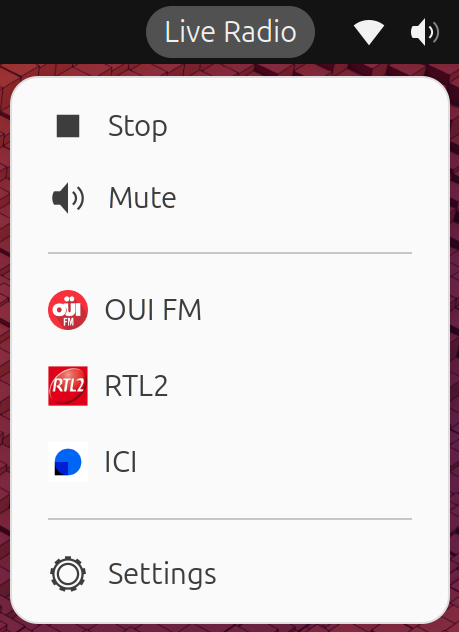
LiveRadio is a lightweight GNOME Shell extension. It sits directly in your GNOME top panel, offering instant access to your favorite audio streams with minimal footprint.
The extension is open-source and available on GitHub. You can also install it directly from the GNOME Extensions website.
Why LiveRadio?
LiveRadio aims for simplicity and tight desktop integration:
- Quick Controls: Stop, play, mute, and scroll-to-adjust volume directly from the panel.
- JSON-based Configuration: Your radio list is stored in a clean JSON format, making it easy to back up, share, or edit in your favorite text editor.
- Custom Logos: Support for custom icons, either loaded from remote URLs or local directories.
Install
Please refer to the github repo for detailed installation instructions or from the GNOME Extensions website
Customizing Your Radio Stations
Once installed, you can manage your station list from the extension preferences. Stations are defined in a simple JSON structure:
[
  {
    "name": "Radio Paradise",
    "url": "https://stream.radioparadise.com/mp3-192",
    "logo": "https://radioparadise.com/graphics/logo_200.png"
  }
]
Tip: You can find a template in
stations.json.exampleinside the repository.
Each station entry supports:
name: The display name in your dropdown menu.url: The direct streaming link (MP3, AAC, etc.).logo: An optional icon. This can be a HTTP/HTTPS URL, or a local filename if you place the image under~/.local/share/liveradio/icons/(the extension will automatically create this directory on startup).